
AI Agents are the virtual SDRs that handle your prospecting and outreach. You can create multiple agents, each with different instructions and copy style, depending on your needs — for example, separate agents for different regions, products, or audiences.
| ℹ Note: Set up your Knowledge Base before creating an agent. Agents pull directly from it to write outreach, so the agent is only as good as the content behind it. |
Creating an Agent #
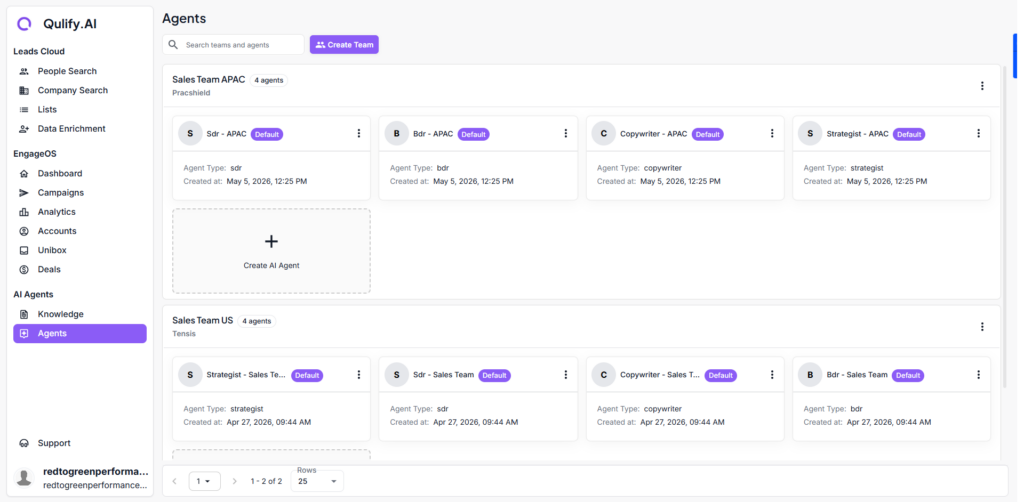
- Go to AI Agents and click Create Agent.
- Give it a clear, descriptive name — for example, “APAC Outbound Agent” or “US SaaS Agent.”
- Set up instructions: who the agent is targeting, what tone to use, and what the goal of the outreach is.
The Agent Dashboard #
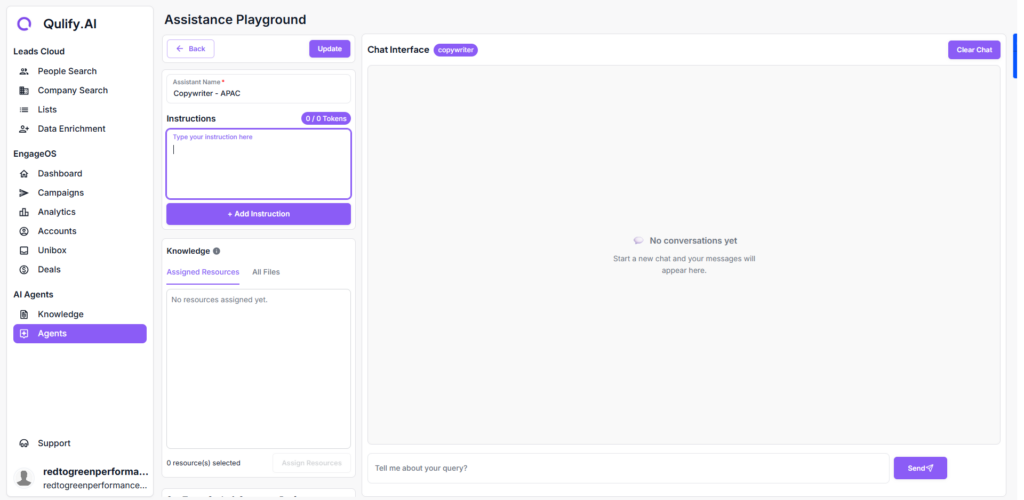
Click into any agent to access its full dashboard. From here you can configure:
- Instructions — targeting details, tone, and outreach goals.
- Personality — how the agent communicates and responds.
- Additional settings that shape how it writes emails and handles replies.
Why Multiple Agents? #
Different audiences often need different messaging. Rather than trying to make one agent serve every market or product, create a dedicated agent for each context:
- By region (e.g., APAC vs. US agents with locally relevant tone and references)
- By product line (if you sell multiple distinct offerings)
- By audience segment (e.g., enterprise vs. SMB messaging)
Where Agents Are Used #
You’ll select an AI agent when setting up a campaign — the agent’s instructions and Knowledge Base access determine how the campaign’s emails are written and how replies are categorized and handled.
| 💡 Tip: Set up at least one agent before building your first campaign. You won’t be able to launch a campaign without one assigned. |
What’s Next #
With your agent in place, move on to Finding Leads with the BDR Agent to start building your first prospect list.


