
Mailbox setup is the foundation of everything else you do in Qulify. If it isn’t done correctly, your emails will land in spam regardless of how good your copy or targeting is. This guide covers account types, warmup, and protecting your domain reputation.
Sending Account Types — Quick Recap #
As covered in the Connecting Sending Accounts guide, there are two account types:
- Sending Account — for cold outreach.
- Primary Business Email — for replies only.
| ⚠ Warning: Never use your main company domain for cold outreach. Set up a separate sending domain (for example, tryqulify.com) and use that to protect your main domain’s reputation. |
Warming Up a Mailbox #
Once your mailbox is connected, don’t start sending cold outreach immediately. A fresh email account sending a high volume of cold emails on day one will almost certainly get flagged. Warmup is non-negotiable.
How to enable warmup #
- Click into your mailbox and go to Warm Up.
- Enable it.
Qulify will automatically send low-volume emails that get opened and replied to, which trains inbox providers like Google and Microsoft to trust your domain.
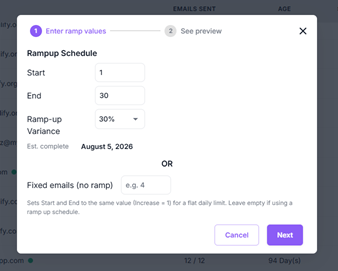
Warmup Timeline #
- Warm up for at least 2 to 4 weeks before sending cold outreach.
- During warmup, keep daily sends at 30 to 50 per mailbox.
| ℹ Note: Check the Email Limits & Ramp-Up guide in the help center for a week-by-week breakdown of recommended volumes. |
Domain Reputation #
More mailboxes give you more sending volume, but only if each one is properly warmed up first.
| 💡 Tip: One healthy mailbox sending 40 emails a day beats a cold one sending 200. Don’t rush the process to hit volume targets. |
Summary #
- Keep cold outreach on a separate sending domain, never your main company domain.
- Warm up every new mailbox for 2–4 weeks before cold sending.
- Stay at 30–50 sends per mailbox per day during warmup.
- Scale volume by adding more warmed-up mailboxes, not by overloading existing ones.
What’s Next #
With deliverability covered, see Settings & Integrations to connect your CRM and finish setting up your workspace.


