
Table of Contents
Connect Qulify to the rest of your stack and keep your workspace organized
Settings is where you connect Qulify to your other tools — HubSpot, Salesforce, Zapier — and manage your workspace, team, and analytics in one place.
CRM Integrations #
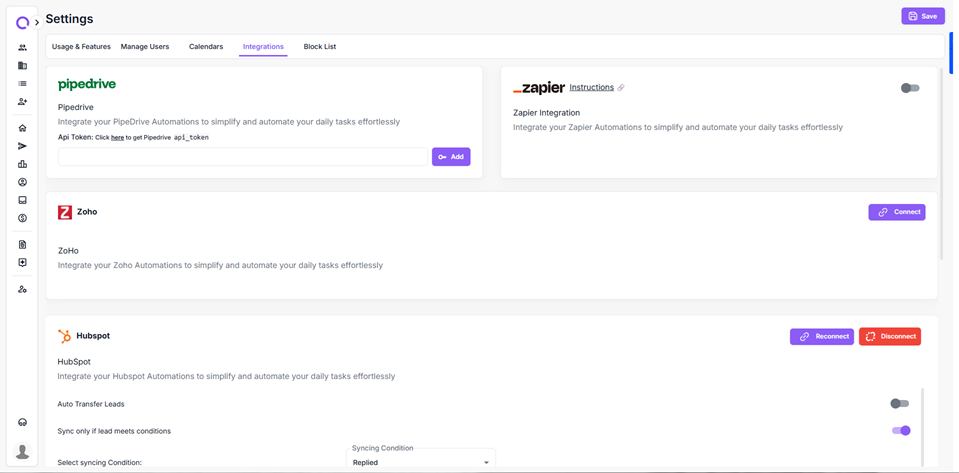
Go to Settings > Integration Overview.
Connecting HubSpot #
- Click Connect with HubSpot.
- Log in and authorize the connection.
Once connected, leads that reply or hit certain campaign stages automatically sync as contacts and deals in HubSpot.
Other CRMs #
The same connection flow applies to Salesforce, Pipedrive, and Zoho.
- If you use a different tool, connect it through Zapier, which covers most other platforms.
Why This Matters #
The HubSpot integration is the most commonly used by clients. When a reply comes in, it syncs to HubSpot automatically, and your sales team can pick it up from there — a clean handoff with no manual data entry.
Need Help? #
If something isn’t working, get in touch with us at support@qulify.ai.


